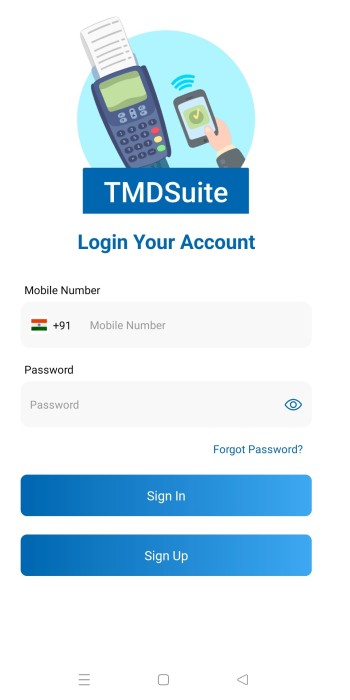
Signin

How to login my store on TMDSuite application?
Before login you need to create store from TMDSuite signup page
Login Fields and Steps
1. Mobile Number
Details: Select the appropriate country code from the dropdown (e.g., +91 for India).
Enter the mobile number associated with your TMDSuite account.
Example: "+91 9876543210."
2. Password
Details: Enter the password you created during the signup process.
Ensure it matches the account’s password requirements.
Example: "Secure@1234."
2.1 Eye Icon
Tap the eye icon to view the password (optional, for verification while typing).
3. Sign In Button
Details: After entering your mobile number and password, click this button to log in to your store and redirect to your Catalog page. Ensure the credentials are accurate to avoid login errors.
4. Forgot Password?
Details: Link: Forgot Password? Click this link if you've forgotten your password.
You will be redirected to a password recovery process, which may involve OTP verification reset instructions.
5. Sign Up Option
If you don’t already have an account, click the "Sign Up" button to create one. This will redirect you to the signup form.
Validation: Ensure the mobile number format is correct and the password matches the one you used during signup.
Tags
- Login