Signin

AWB & Delivery Label Generation Process
Generate the delivery label.
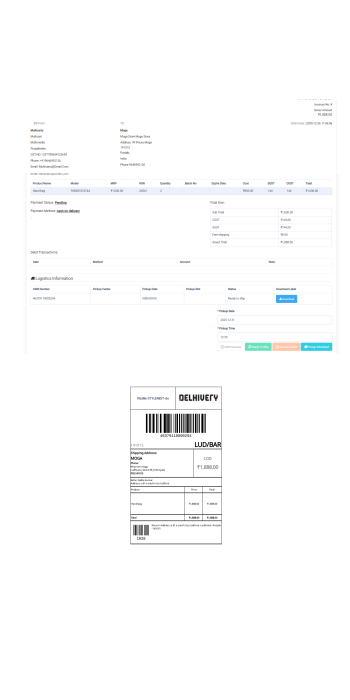
Step 1: Generate AWB
Go to Orders → Order List
Open the confirmed order
Click on AWB Generate button
This will generate the AWB Number from the courier system.
Step 2: Mark Order as Ready to Ship
After AWB generation, click on Ready to Ship
⚠️ Important: Without clicking Ready to Ship, the Generate Label button will remain disabled.
Step 3: Generate Delivery Label
Once the order is marked Ready to Ship
Click on Generate Label
The shipping label will be generated successfully and available for download.
Step 4: Schedule Pickup
Enter Pickup Date
Enter Pickup Time
Click on Pickup Scheduled
After pickup scheduling, the delivery partner will reach the pickup location as per the scheduled date and time.
Tags
- AWB & Delivery Label Generation Process